

 Editor's Desk





A hard reset can help when your Samsung phone is experiencing serious software problems, such as freezing, repeated crashes, or issues that prevent you from using the device normally. It restores the phone to its factory settings and removes the data stored on the device.
This process is also useful when you need to start fresh with your Samsung phone. However, a hard reset permanently deletes personal data, apps, accounts, and other information saved on the device, so make sure you have a backup if possible.
If you cannot access the normal Settings menu, you can use the phone’s Recovery Mode to perform the reset. Follow the steps below to hard reset your Samsung phone.
Read: How To Turn OFF Samsung Phone Without Touching Screen
Hard Reset Samsung Phone
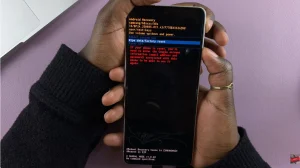
Before you begin, connect your Samsung phone to a laptop using a USB cable. Keep the phone connected while you access the Recovery Mode menu. Press and hold the Side button and Volume Down buttons simultaneously. When the power menu appears, ignore it and continue holding both buttons.
When the Samsung logo appears, release the Side button and Volume Down buttons. Immediately press and hold the Side button and Volume Up buttons together. Continue holding the Side button and Volume Up buttons while the phone remains connected to the laptop. Keep holding the buttons until the Android Recovery menu appears.

Use the Volume buttons to navigate to Wipe data/factory reset. Press the Side button to select the option. Select Factory data reset on the confirmation screen, then press the Side button to confirm. The phone will erase its stored data and restore the factory settings.


Once the reset is complete, select Reboot system now and press the Side button. Your Samsung phone will restart and display the initial setup screen.
You can now set up the phone again. Depending on the device and its security settings, you may need to enter the Google account previously associated with the phone to complete the setup.
Watch: How To Create Samsung Account On Mobile Phone
The post How To Hard Reset Samsung Phone appeared first on WebPro Education.

News reported through various sources and compiled with AI. This is automatically generated news content from known, popular, and reliable sources available at the time of publication.
We do not take any responsibility for, nor make any representations regarding, the accuracy, completeness, credibility, or
reliability of the content.
In case of any discrepancy, error, or copyright claim, we will promptly review and remove the content in question where appropriate.
We do not claim ownership of third-party content and assume no responsibility or liability whatsoever for any information contained herein. The credit, links and images are kept intact as an honest gesture, are property of its respective owners.