

 Editor's Desk





Gemini Spark Can Now Edit, Organize, and Share Your Google Photos
Organizing a crowded smartphone camera roll usually requires hours of tedious tapping, cropping, and album sorting. Google is addressing that manual workload by rolling out Google Photos integration for Gemini Spark. The upgrade gives the personal agent direct control over users’ cloud media libraries.
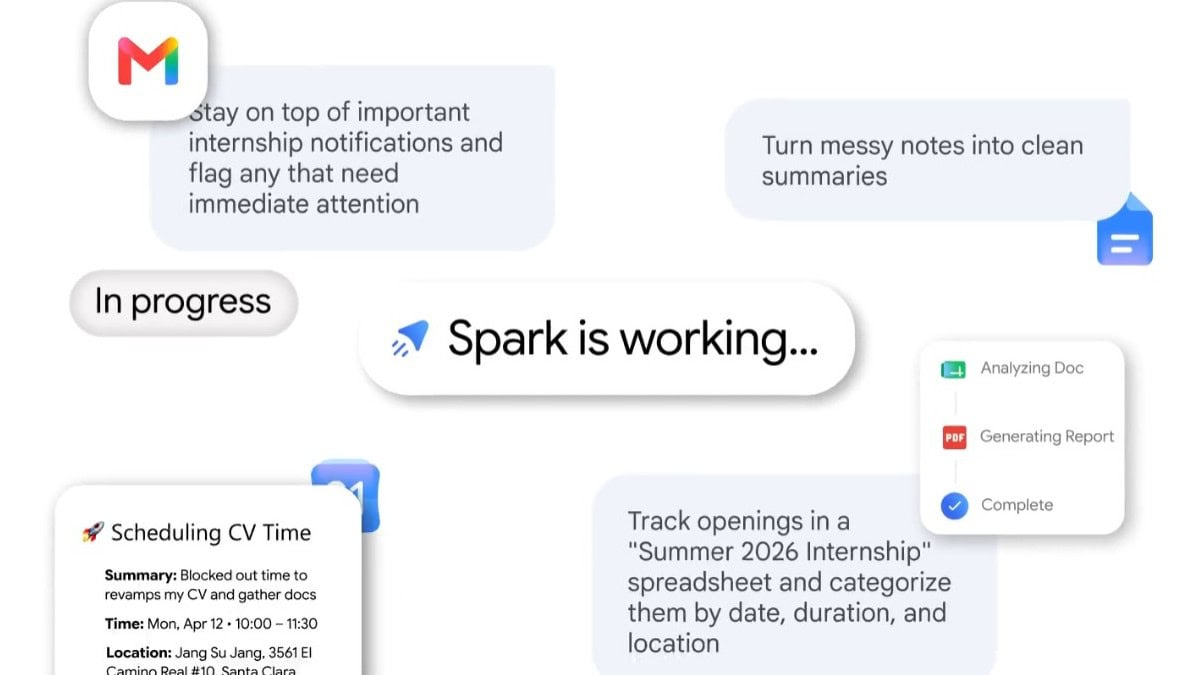
The new integration allows Gemini Spark to execute multi-step background workflows with a single prompt. Instead of manually adjusting lighting or organizing folders yourself, you can instruct the agent to search your library by subject, location, date, or event, filter out duplicates, enhance image quality, erase background crowds, center subjects, and generate stylized collages. Any edits or enhancements automatically save as new copies in Google Photos, preserving your original shots.
Multi-stage workflows and cross-app intelligence
The main benefit of hooking up Google Photos to Gemini Spark is the ability to make more complicated, multi-layered requests that cut across various tools. The agent can search specific images to extract printed text, reformat that information into a Google Document, or cross-reference photo details with your schedule. For instance, you can ask Spark to check a photo of a local concert flyer against your Google Calendar availability to see which show dates fit your schedule.
Sharing and communication workflows also run automatically. A single prompt can ask Spark to locate the best 15 photos from a recent vacation, enhance the beach shots, assemble them into a new private or shared album, and draft an email containing the album link inside Gmail or Google Messages for your travel companions.
Recurring automation and account requirements
Beyond one-time commands, Gemini Spark introduces background scheduling for recurring library management. Users can set up automated weekly or monthly tasks, such as instructing the system every weekend to select top food photos, build a collage, save it to a “What my camera ate this week” album, or routinely sort photos of business receipts into organized folders.
The Google Photos connection is currently rolling out in the U.S. to Google AI Pro or Google AI Ultra subscribers. Setting up the feature requires toggling Google Photos “ON” within the Connected Apps menu in Gemini Spark. Lastly, broader account access is expanding over the coming weeks.
The post Gemini Spark Can Now Edit, Organize, and Share Your Google Photos appeared first on Android Headlines.

News reported through various sources and compiled with AI. This is automatically generated news content from known, popular, and reliable sources available at the time of publication.
We do not take any responsibility for, nor make any representations regarding, the accuracy, completeness, credibility, or
reliability of the content.
In case of any discrepancy, error, or copyright claim, we will promptly review and remove the content in question where appropriate.
We do not claim ownership of third-party content and assume no responsibility or liability whatsoever for any information contained herein. The credit, links and images are kept intact as an honest gesture, are property of its respective owners.