

 Editor's Desk





Many users have reported getting a ‘Repeating Instagram Stories’ problem. If the Instagram Stories are repeating, don’t panic; you can fix the problem by following these methods.
1. Check your Internet
When the Internet is slow or unstable, Instagram doesn’t count the story you viewed as ‘Viewed’. Ensure that your internet is stable.
The easiest way to check if the Internet works is by opening a web browser and visiting fast.com. The site will immediately run an Internet speed test. You need to check the internet speed and stability.
2. Check if Instagram is Down
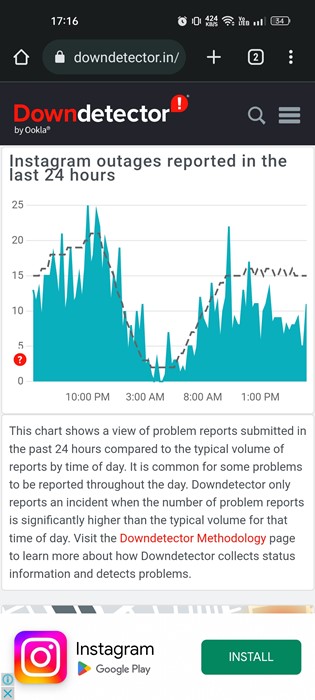
If Instagram’s servers are down, you will have problems using most app features. You will be logged out and prevented from viewing images/videos, etc. Also, the Reels videos won’t load.
You can visit Instagram’s server status page on Downdetector to check if Instagram is down globally. If Instagram is down, you must wait until the servers are restored.
3. Restart your Phone
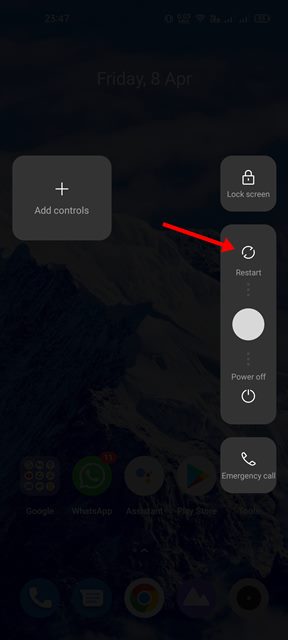
When you restart your phone, all its services & functions will close and start again.
In the process, the bugs & glitches that may be conflicting with the Instagram app will be removed. So, make sure to restart your phone.
4. Force Stop the Instagram App
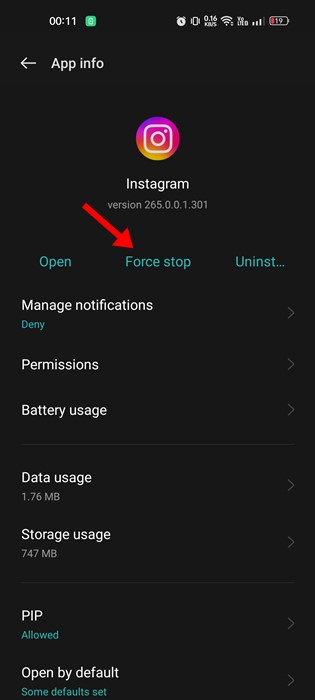
If the Instagram servers are up and the stories still repeat, you need to force stop the mobile app.
1. Long-press on the Instagram app icon and select App Info.
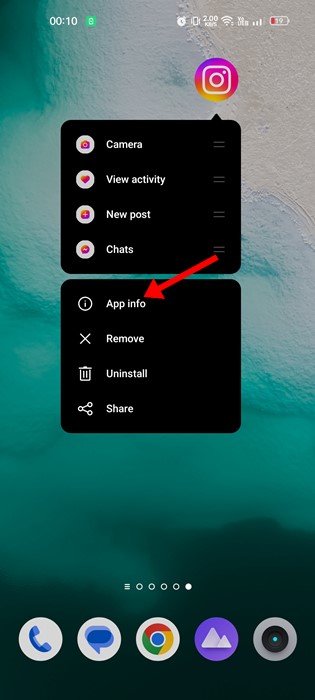
2. Tap the Force Stop button.
5. Update the Instagram App
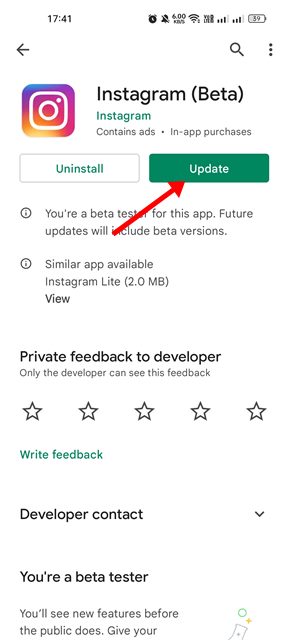
There is a chance that the version of the app you’re using has a bug or glitch that may prevent new stories from appearing.
You can eliminate such bugs by updating the Instagram app. Open the Google Play Store and search for Instagram. Open the Instagram app listing page and tap on Update.
After the update, continue using the app as usual. This time, stories won’t repeat, and a new one will appear.
6. Clear the Instagram Cache & Data
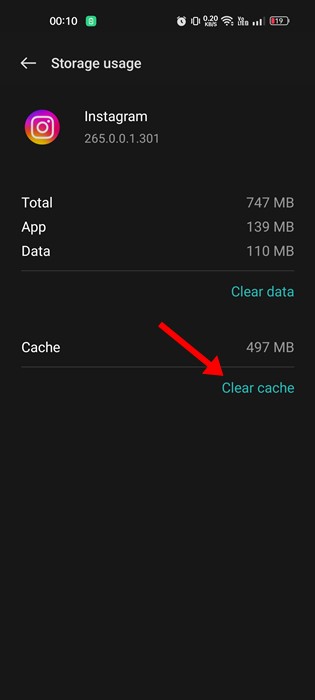
Many users have claimed to resolve the Instagram Story keeps reporting issues just by clearing the app cache and data file. You can try doing it as well.
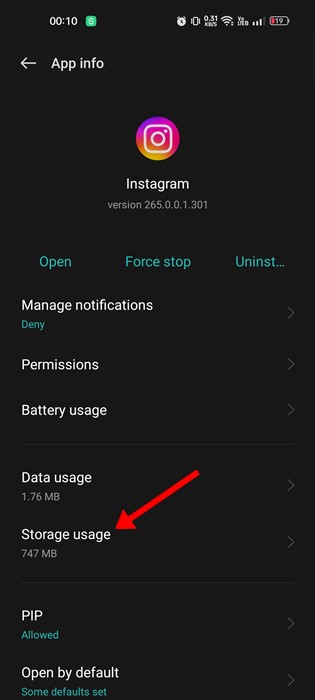
1. Long-press on the Instagram App icon and select App Info.
2. Tap on Storage usage.
3. Tap Clear Cache. Then, tap Clear Data.
Open the Instagram app. It will ask you to log in. Log in with your account credentials and check whether Instagram stories keep repeating.
7. Reinstall the Instagram App
The version of the Instagram app you are using may have a bug that repeats the Instagram Stories. You can either try updating the app or reinstalling it.
Reinstallation will remove all Instagram leftovers, which could fix the issue. To reinstall Instagram, long-press on the App icon and select ‘Uninstall’. Once uninstalled, install the Instagram app again.
8. Install an Older Version of the Instagram App
As noted above, a glitch in a specific version of the Instagram app triggers the repeating Instagram stories problem. You are likely using that version of Instagram on your Android or iPhone.
The easiest way to overcome this problem is to install an older version of the Instagram app, released a few months ago.
If the Instagram app had functioned well on your phone in the past, that particular app version doesn’t have the glitch. Hence, it will work well this time as well.
You can download an older version of the Instagram app from third-party app stores such as APKPure or APKMirror. Then, you need to sideload the App file and install it on your device.
Also read: Instagram Stories Blurry: 10 Best Ways to Fix it
These are a few simple methods to fix the Instagram Stories keep repeating problem. If you need more help resolving the Stories keep repeating on Instagram, let us know in the comments below.
The post 8 Best Ways to Fix Instagram Stories Repeating Issue appeared first on TechViral.

News reported through various sources and compiled with AI. This is automatically generated news content from known, popular, and reliable sources available at the time of publication.
We do not take any responsibility for, nor make any representations regarding, the accuracy, completeness, credibility, or
reliability of the content.
In case of any discrepancy, error, or copyright claim, we will promptly review and remove the content in question where appropriate.
We do not claim ownership of third-party content and assume no responsibility or liability whatsoever for any information contained herein. The credit, links and images are kept intact as an honest gesture, are property of its respective owners.