

 Editor's Desk





You don’t need a dedicated white noise app on an iPhone to calm your mind and relieve stress. A feature hidden in Settings plays white noise, such as rain sounds, a flowing ocean stream, etc. Here’s how you can use iPhone Background Sounds.
1. Open the Settings app.
2. Scroll down and tap Accessibility.
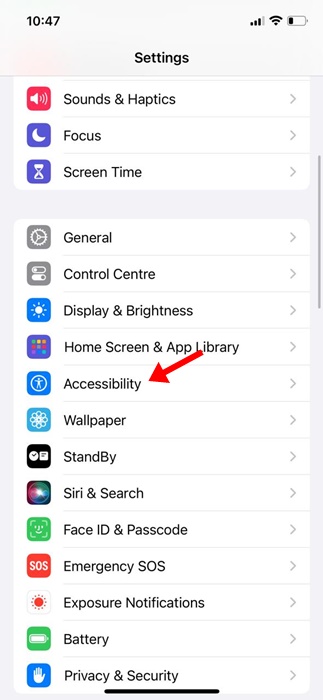
3. Scroll down and tap Audio/Visual.
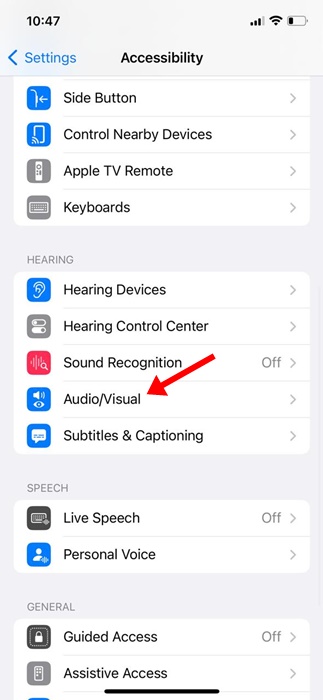
4. Tap Background Sounds.
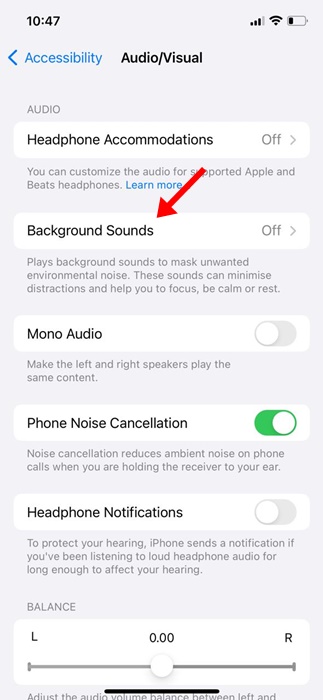
5. Enable the toggle for Background Sounds.
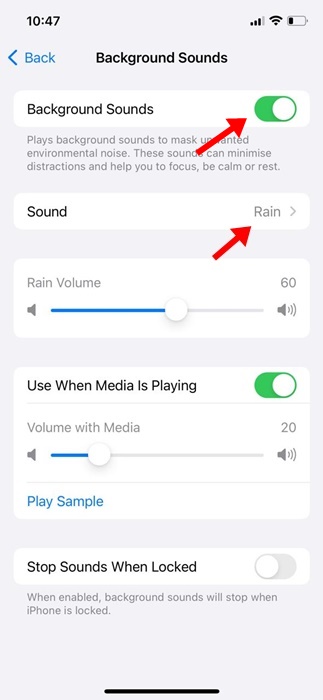
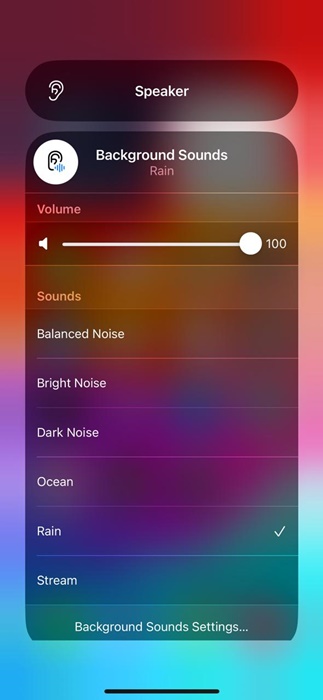
6. Tap Sound.
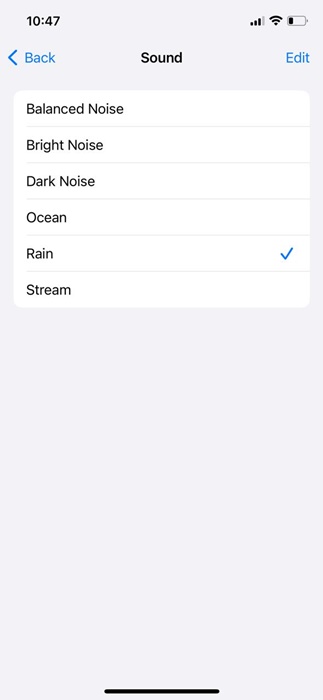
7. Pick the sound depending on your needs and what calms your mind.
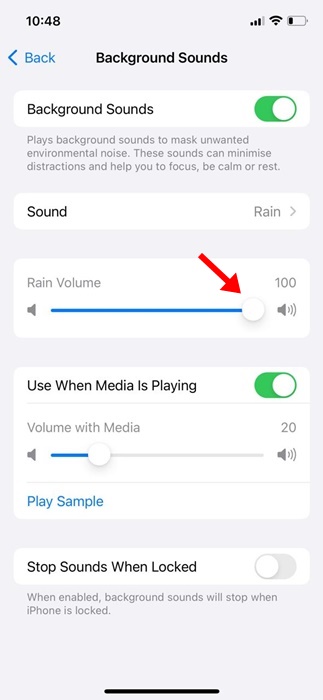
8. You can adjust the volume accordingly.
How to Add White Noise to the Control Center?
If you want, you can add the sound of rain to the Control Center. In this way, you can play the sound just by opening the Control Center on your iPhone.
1. Scroll down and tap Control Center.
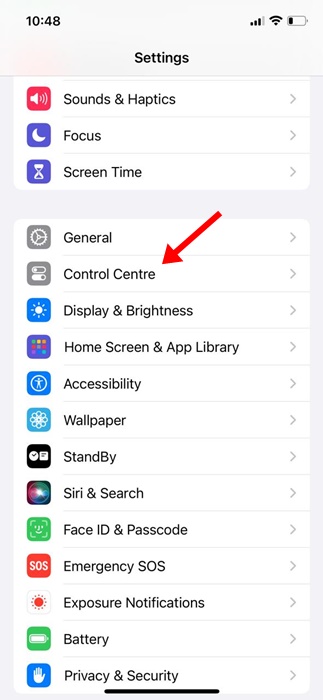
2. Scroll down to More Controls. Next, add Hearing.
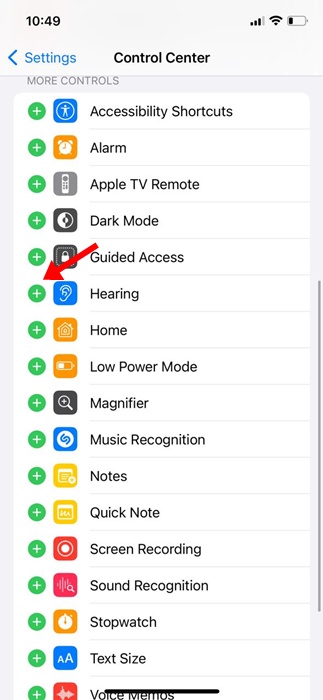
3. Access the Control Center; you will find a new Hearing icon.
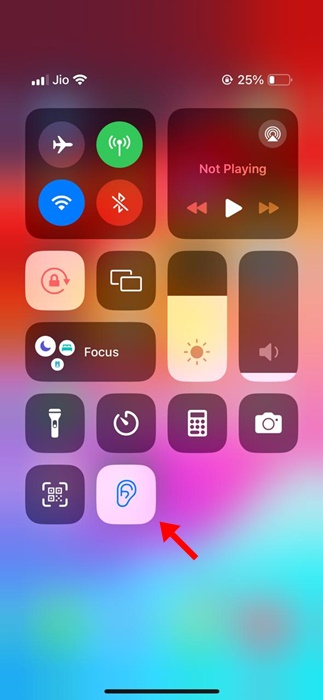
4. Tap the new icon and select the Sound. You can also set the volume from the Control Center.
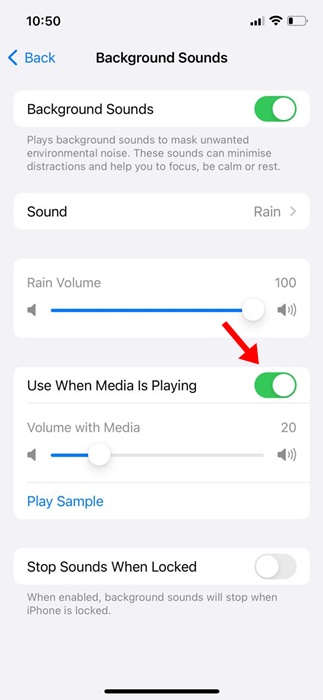
Set White Noise to Play Even When Media is Playing
The Accessibility Settings of iPhone allow you to play the Rain sound even when other media is playing.
1. Open the Settings app.
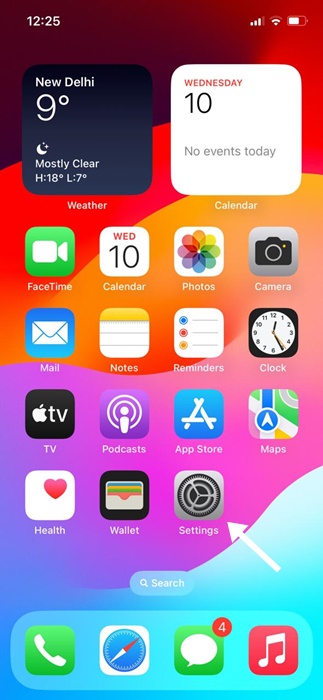
2. Scroll down and tap Accessibility.
3. Scroll down and tap Audio/Visual.
4. On the Audio/Visual screen, tap Background Sounds.
5. Enable the toggle for Use When Media is Playing.
Also Read: How to Enable WiFi Calling on iPhone
This guide is all about how to get white noise on an iPhone without installing any third-party app. Let us know if you need more help playing background sounds on your iPhone.
The post How to Use iPhone Background Sounds appeared first on TechViral.

News reported through various sources and compiled with AI. This is automatically generated news content from known, popular, and reliable sources available at the time of publication.
We do not take any responsibility for, nor make any representations regarding, the accuracy, completeness, credibility, or
reliability of the content.
In case of any discrepancy, error, or copyright claim, we will promptly review and remove the content in question where appropriate.
We do not claim ownership of third-party content and assume no responsibility or liability whatsoever for any information contained herein. The credit, links and images are kept intact as an honest gesture, are property of its respective owners.