

 Editor's Desk





Forgot your phone number? There are multiple ways to find it if you have a Samsung phone. Here are different ways to find Phone number on a Samsung phone.
1. Find your phone number on Samsung via Settings
Use the Settings app on your Samsung phone to find your phone number.
1. Open the Settings app.
2. Scroll down to the bottom and tap on About phone.
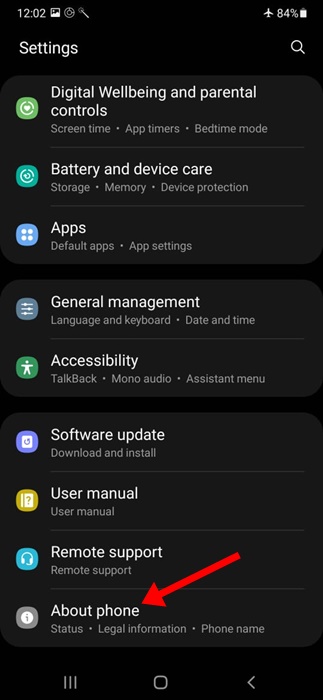
3. Check the Phone Number.
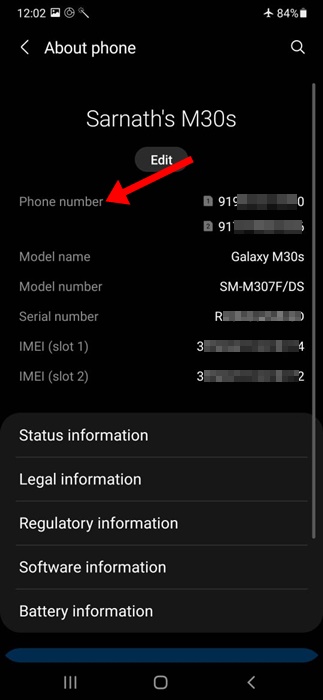
4. This should show you the phone number currently in use.
2. Find the Phone number via the Contacts App
You can even use the Contacts app on your Samsung phone to find your phone number.
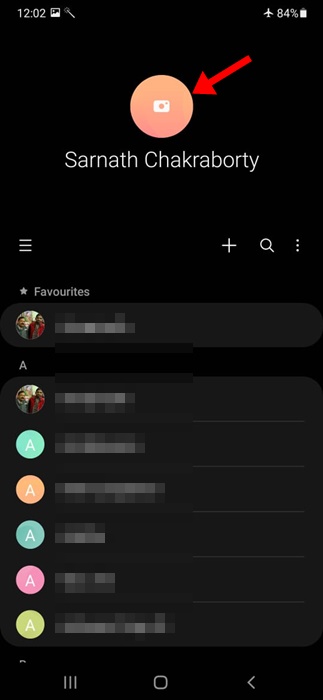
1. Open the Contacts app.
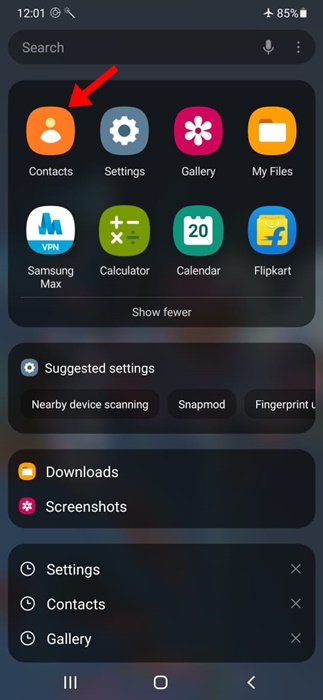
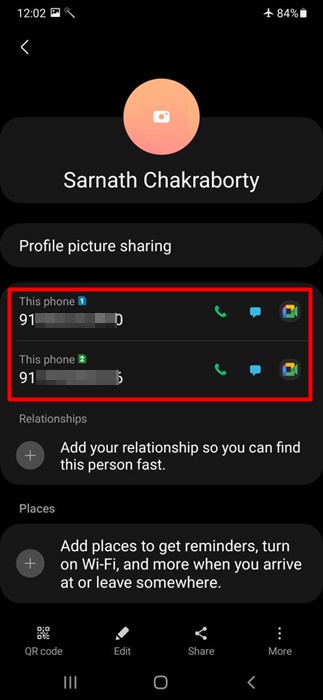
2. Tap on your name at the top. This is your contact card.
3. Scroll down a bit to view the phone number.
3. Find Your Phone Number via WhatsApp
If you use WhatsApp to fulfill your instant messaging needs, you can utilize the app to find your phone number.
- Open the WhatsApp app on your Samsung phone.
- Search for your name in the list of chats.
- Locate your contact and tap on it to open the chat window.
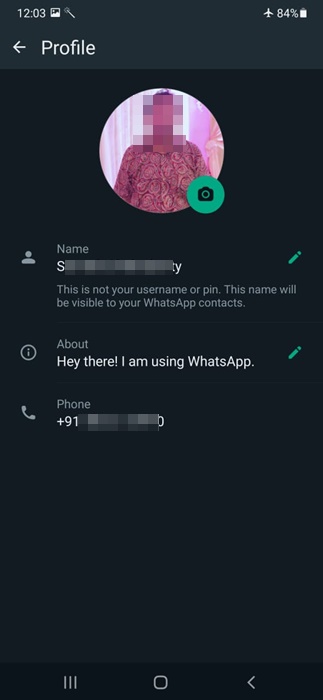
- When the chat window opens, tap on your contact name at the top.
- You can see your phone number. The phone number will appear just underneath your WhatsApp profile name.
4. Call any other number
One of the easiest and most popular methods of knowing the phone number is by calling someone. Even if you don’t want to call someone, you can call any other number that you have.
Once you place a call, your phone number will automatically flash on the other phone screen. You can note down the phone number.
If you don’t have a secondary phone number, you can try calling your friends or family members and asking them to tell you the number displayed on their screen.
5. Other Basic Ways to Find a Phone Number
There are a few other ways to find the number used on a Samsung phone. Below, we have highlighted some of them.
- Check your mobile bill statement.
- You can check the packaging of your SIM card.
- Contact your telecom service provider.
- Check the app you use to manage your telecom services.
Finding your phone number on a Samsung phone is super easy. Follow the methods we have shared in this guide to find your phone number on a Samsung smartphone.
The post How to Find Phone Number on Samsung Phone (All Methods) appeared first on TechViral.

News reported through various sources and compiled with AI. This is automatically generated news content from known, popular, and reliable sources available at the time of publication.
We do not take any responsibility for, nor make any representations regarding, the accuracy, completeness, credibility, or
reliability of the content.
In case of any discrepancy, error, or copyright claim, we will promptly review and remove the content in question where appropriate.
We do not claim ownership of third-party content and assume no responsibility or liability whatsoever for any information contained herein. The credit, links and images are kept intact as an honest gesture, are property of its respective owners.